

Refer A Friend
Refer a friend to ParkMate and you’ll each get $10 credit!

How To Refer A Friend
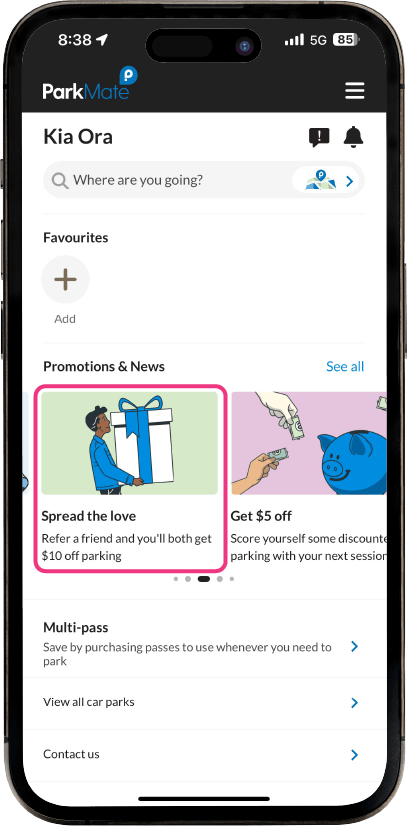
1. Tap on the refer a friend offer in the ‘Promotions & News‘ section of the home screen in the ParkMate app.
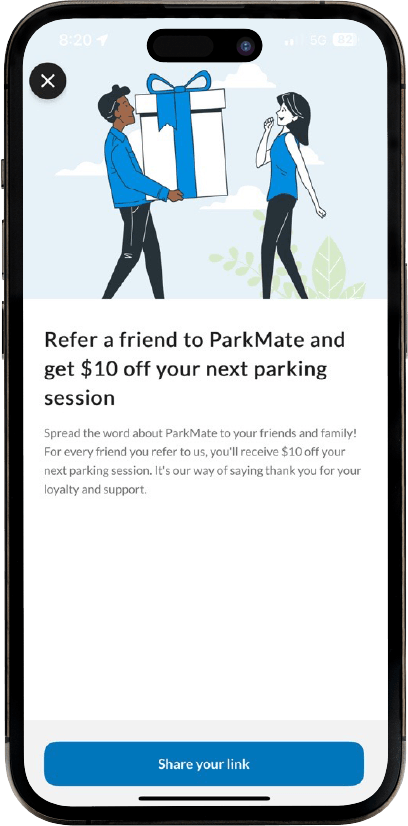
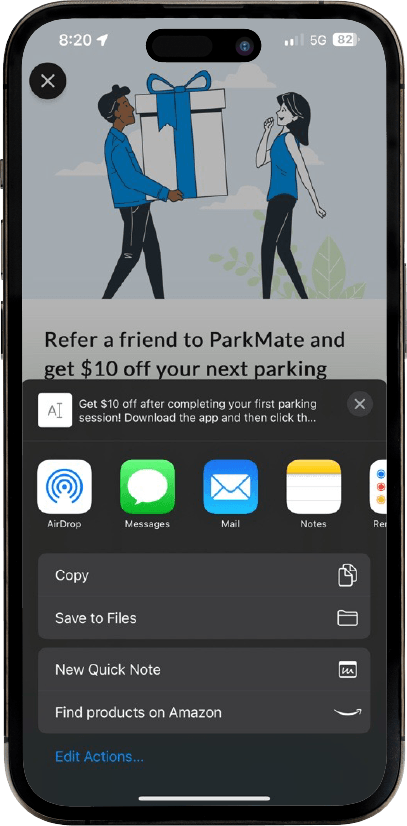
2. Tap on ‘Share your link‘ and share ParkMate with your friend(s) via text, email or any messaging app that you prefer.
3. When your friend receives the link, they must click it, download the ParkMate App, and register a new account.
4. Your friend must then complete a paid session, on completion both you and your friend will each receive a $10 credit in the form of a promo code.
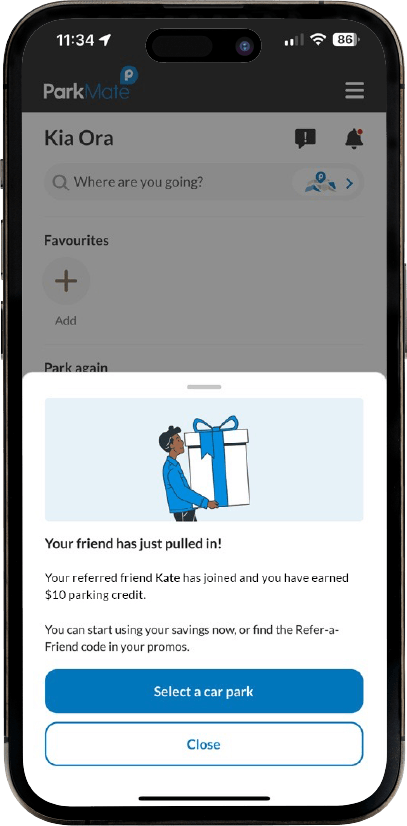

Please note that the promotion only applies to new sign ups. You cannot refer to a friend who already has an active ParkMate account.
*Terms and Conditions
Refer a friend is tied to your mobile number, the promotion will not work if you create a new account with a mobile number that already exists on ParkMate. The promotion only applies to new sign ups. You cannot refer to a friend who already has an active ParkMate account. The $10 credit promo code will be added to both the referrer and the referee’s account, on completion of the referee’s first parking session via the ParkMate app.
Standard ParkMate terms and conditions apply. $10 credit promo code must be selected on your parking session for the discount to apply. Electronic transaction fee applies. Refunds are not available for user error, forgetting to add the promo code to a purchase, starting a session at an excluded carpark, or selecting the wrong product. Credit is not exchangeable or refundable as cash. It is the user’s responsibility to read the Terms and Conditions and Exclusions before using the promo code. ParkMate reserves the right to remove the promo code from accounts. Offer subject to change.