
Licence Plate Recognition for
Barrier Arm Car Parks
No need to pull a ticket, pay via ParkMate for an automated experience.
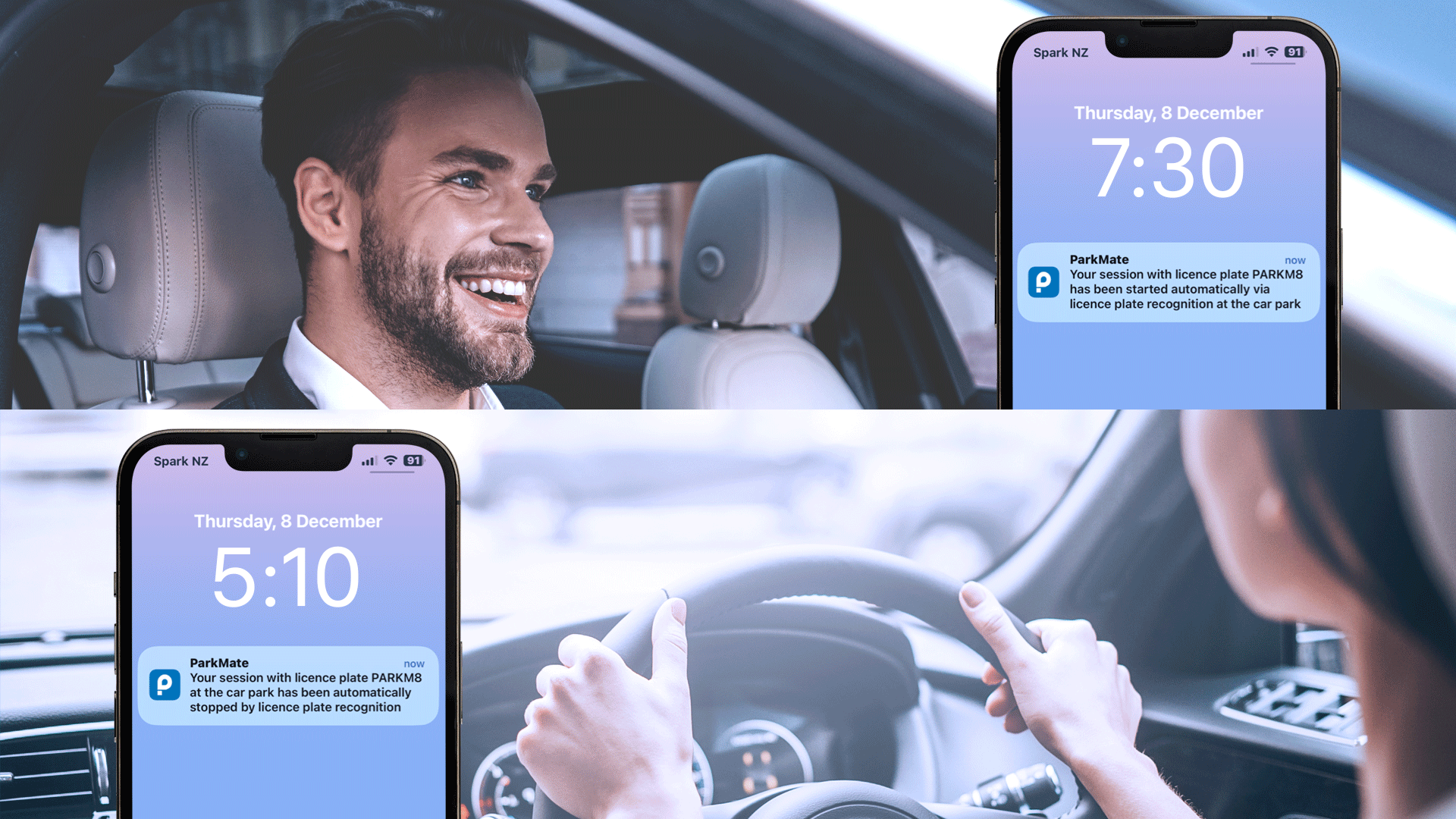
Drive into the car park

When you arrive at the car park our cameras will read your licence plate and automatically lift the barrier arm.
Top tips 💡
– make sure you have LPR turned on for your licence plate
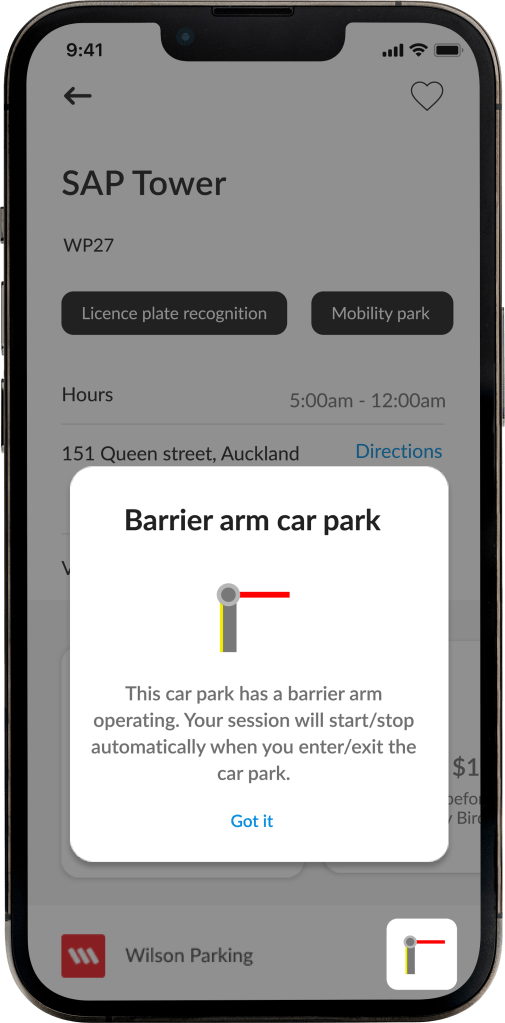
– you can see if a car park has LPR available by looking for the LPR icon on the footer of the car park screen
Check your notifications

We will send a notification to your phone when your session has been automatically started.
You can update the payment method, promo code and note fields while the session is running.
Time to leave!

When you leave the car park, our cameras will read your licence plate and automatically stop your session and lift the barrier arm to exit.
You will receive a notification and email with your parking session receipt.
Easy as that!

Important to note
Please be aware that:
– not all the car parks are equipped with LPR cameras
– you may not have LPR turned on for your licence plate
Our LPR cameras have a small percentage of misreads, if a session does not open/the barrier arm does not automatically lift, we recommend moving your vehicle back and forth slightly.
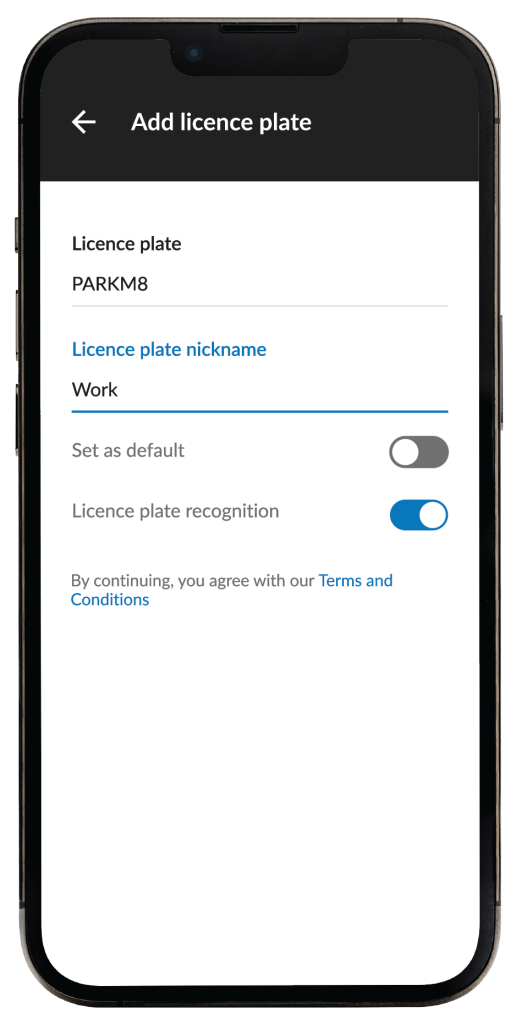
Allow Licence plate recognition
Go to: Account > Vehicles > Edit/Add licence plate
Turn on the “Licence plate recognition” for the licence plates that you wish to use.
Car parks with Licence plate recognition
You can identify if a car park has barrier arms and LPR cameras by looking for the Barrier arm icon on the footer (bottom right corner) or the car park screen.
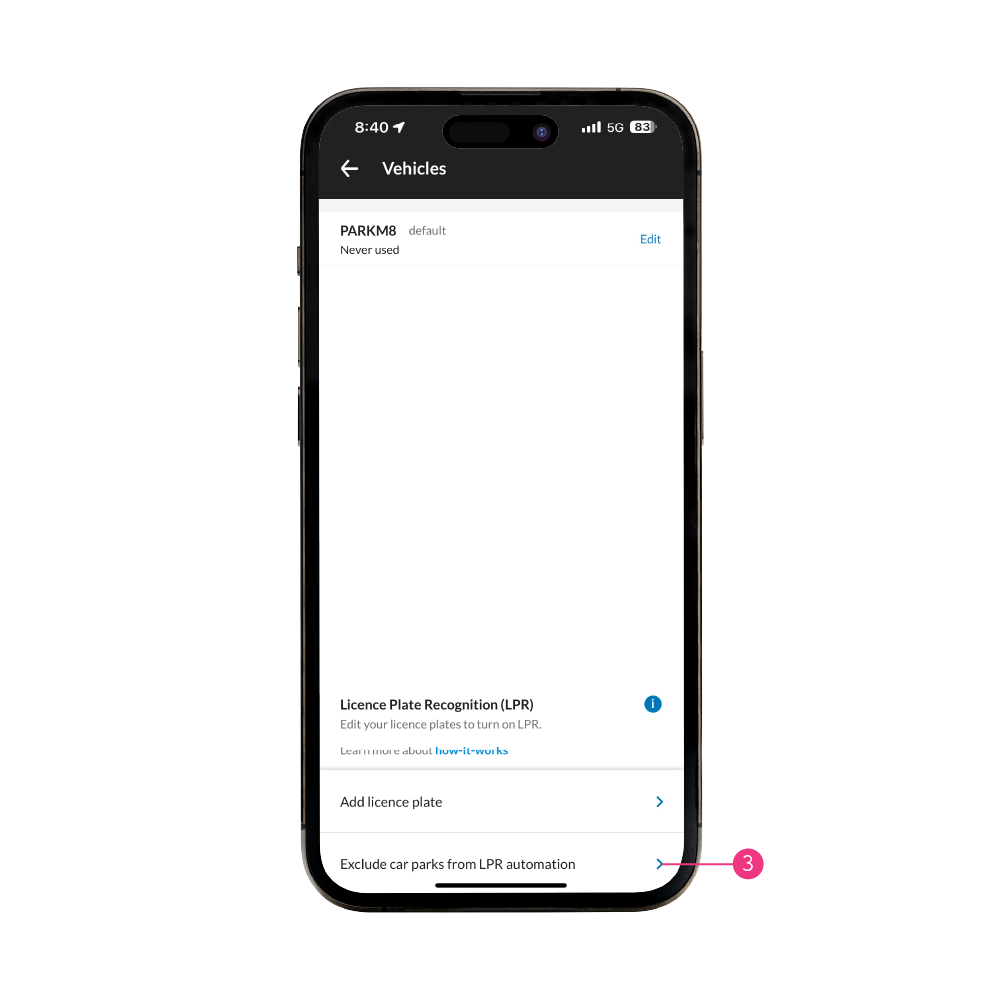
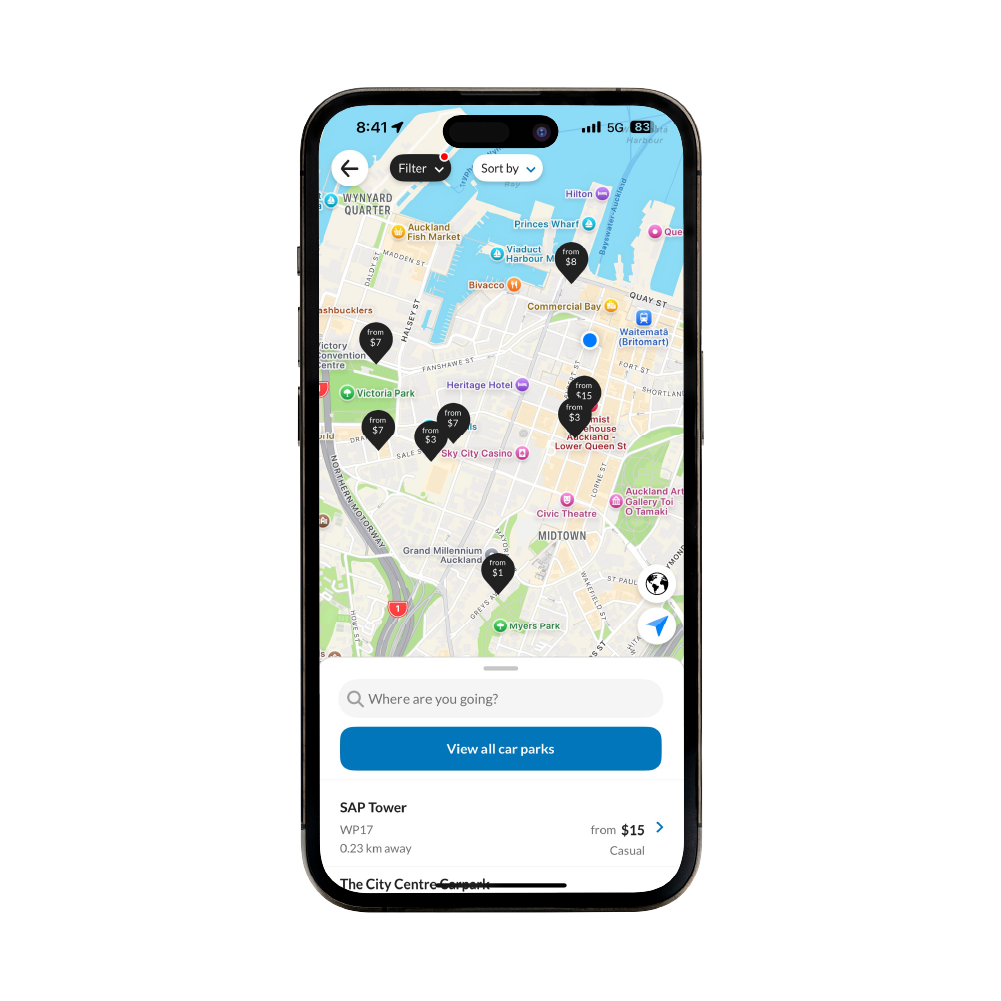
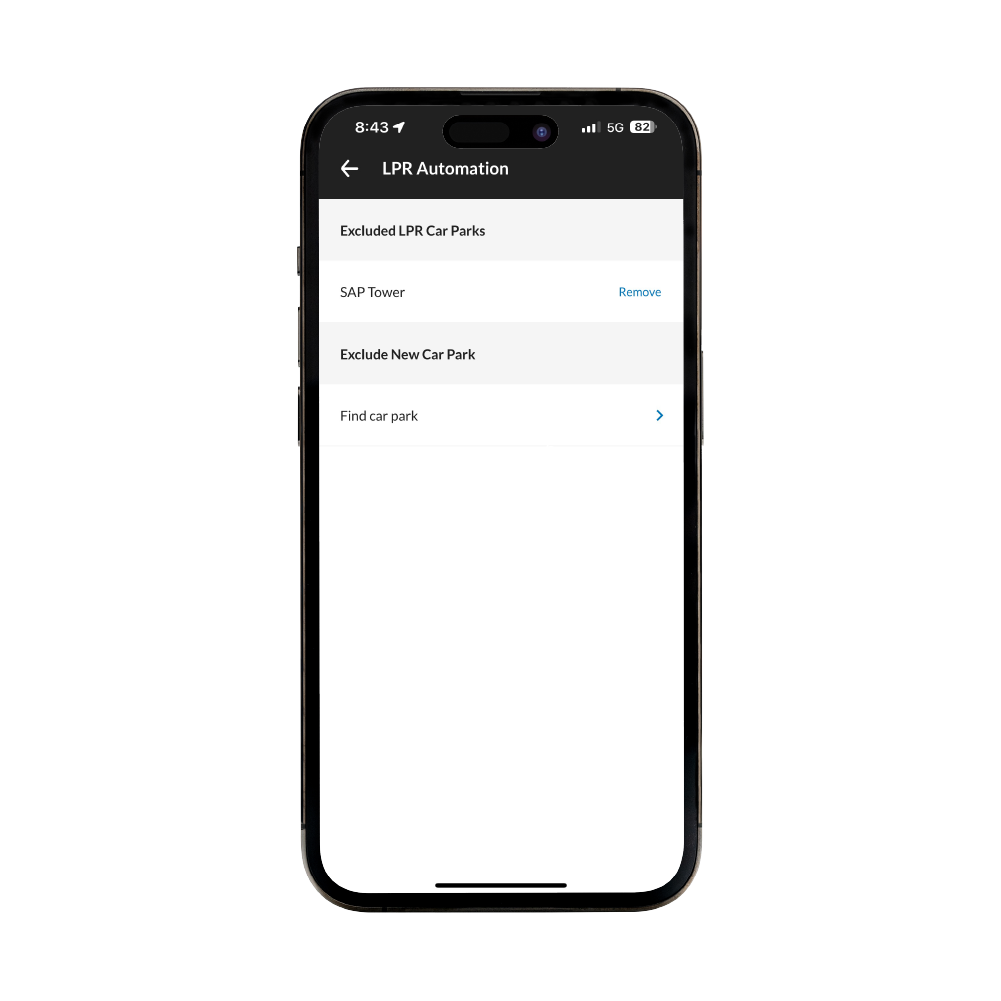
Exclude car parks with Licence plate recognition
You can exclude certain car parks from starting and stopping sessions with LPR for your licence plate(s). You can find this in the ‘Account‘ menu, in the ‘Vehicles‘ tab.
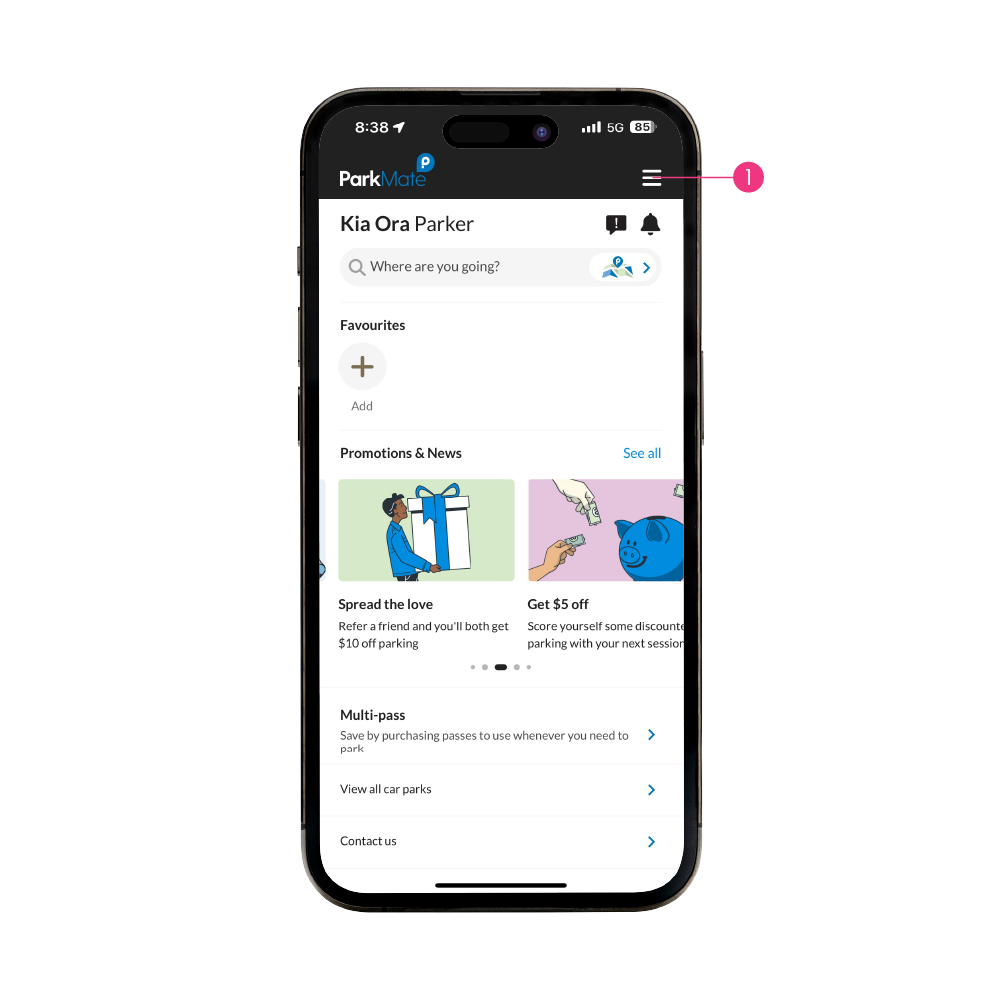
Step 1
Select the 'Account' button from the top right of the Home Screen.

Things to know
Functionality
LPR reads your vehicle’s licence plate when you drive in and out of a car park. It’s integrated with ParkMate to automatically start/stop your parking session and process your payment accordingly.
You will receive a notification when ParkMate has automatically started/stopped your session, look out for these notifications when parking.
Unique licence plate
You won’t be able to use the LPR technology when your licence plate is in multiple ParkMate accounts. If you wish to remove it from another account, email us at support@parkmate.co.nz
Camera accuracy
The LPR cameras are 96-98% accurate, so there will be instances when the LPR might misread the licence plate.
If this happens, you need to start/stop the session manually.
Licence plate management in your account
If you sell your vehicle, you need to delete the licence plate from your account. If you delete the app, it won’t remove the licence plate from your account, and you will remain responsible for charges associated with the plates you have registered.
FAQs
What do I do if LPR does not start/stop my session?
Start/stop a session manually through the app.
How do I know if a car park has LPR available?
There are three ways to see if a car park has LPR:
- Map filters – filter the map by ‘Licence plate recognition’
- Tags – view black tags under the car park name
- LPR icon – located at the bottom right of the car park screen
What happens if I turn LPR on after I have parked and started a session manually?
Your session will stop automatically when you leave the car park (if LPR is allowed for that licence plate).
What happens if I sell my vehicle?
You need to delete the licence plate from your account. If you delete the app, it won’t remove your licence plate from your account, and you will remain responsible for charges associated with the plates you have registered.
Why has my licence plate disappeared from the app?
Our system removes licence plates that haven’t been used in the last six months AND were on multiple accounts. Simply add the licence plate back to your account if you need to use it.
Does it work for motorbikes?
In most cases, motorbike licence plates are too small for the camera to read. We recommend you to start a session manually.

Check out the Les Mills LPR integration case study